


You just unboxed a massive stack of brochures for an upcoming trade show in Las Vegas. You pull one out, scan the beautiful, custom-branded QR code on the back, and your stomach drops.
“404 Page Not Found.”
Maybe there was a typo in the URL. Maybe your web developer changed the page link at the last minute. Or maybe you linked to a seasonal promotion that has already ended. Whatever the reason, you are now staring at hundreds (or thousands) of dollars in wasted UPS Store printing costs.
The immediate question you type into Google is: “How to edit a QR code destination URL after it’s been printed?”
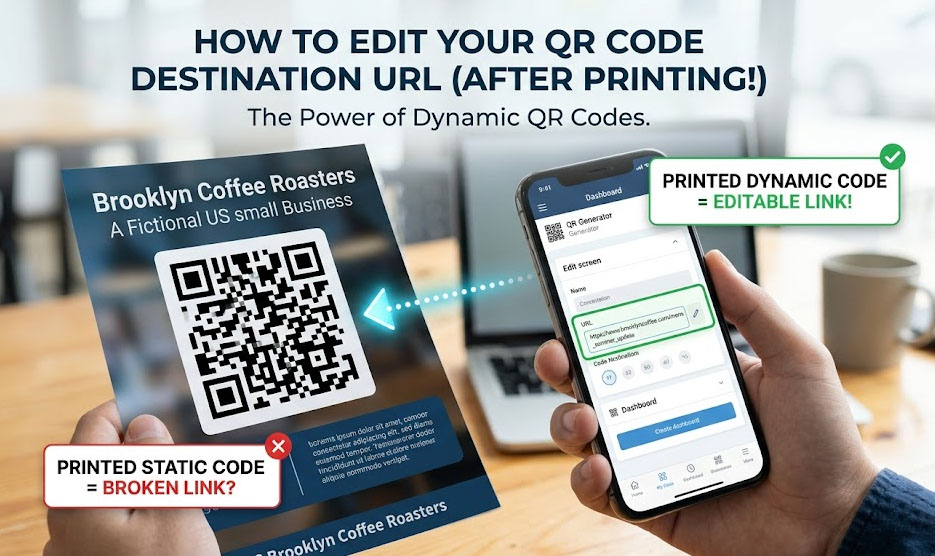
Take a deep breath. Depending on how you created the code, there is a very good chance you can fix it without reprinting a single page. Here is the ultimate guide to rescuing your QR code campaign.
Scenario A: You Used a Dynamic QR Code (The Easy Fix)
If you originally generated a Dynamic QR Code, you can relax. You are exactly why this technology was invented.
Dynamic QR codes do not store your actual website address inside the black-and-white pixels. They store a short, invisible “redirect link” that points to your actual website. Because the printed code only holds that middleman link, you can change the final destination at any time.
Step-by-Step Fix:
- Log into your QR Generator Dashboard: Go to the platform where you originally created the code (like MakeDynamicQR).
- Locate your campaign: Find the specific QR code in your saved list.
- Edit the Target URL: Click the “Edit” or “Update Link” button. Delete the old, broken URL and paste the correct one.
- Save and Test: Click save. Now, pick up one of your printed brochures and scan it with your phone. It should instantly route to the correct page.
Scenario B: You Used a Static QR Code (The “Hacker” Workaround)
If you used a standard, free Static QR Code, the actual text of your URL (e.g., www.yourbrand.com/spring-sale) is permanently hardcoded into the printed pattern. You cannot change the QR code itself.
However, before you throw those brochures in the recycling bin, there is a technical workaround if you own the website domain.
The 301 Redirect Rescue Method:
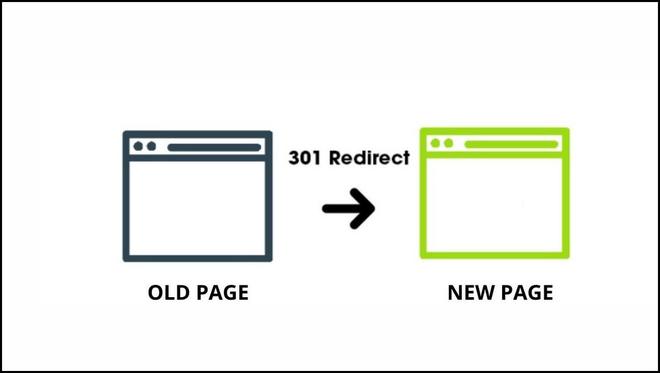
If your printed static QR code points to a broken page on your own website, you don’t need to change the QR code—you just need to tell your website to catch that traffic and forward it to the right place.
- If you use WordPress: Install a free plugin like “Redirection.” Create a new rule. Put the broken URL (the one stored in the QR code) in the “Source URL” box, and put the correct URL in the “Target URL” box.
- If you use Shopify: Go to Navigation > URL Redirects. Set up a redirect from the old path to the new path.
Now, when someone scans your flawed static code, they hit the broken link, but your server instantly and invisibly bounces them to the correct page. Crisis averted!
The Crucial Lesson: Never Print Static QR Codes for Business
If you had to use the 301 Redirect method to save your campaign, consider yourself lucky. If your static QR code pointed to a typo in the domain name itself (e.g., www.yourbbrand.com), there is no fixing it. You have to reprint.
This panic-inducing scenario is exactly why businesses must always use dynamic QR codes for printed materials.
Whether it is a restaurant menu, real estate signage, product packaging, or a business card, URLs change. Businesses rebrand. Promotions expire. A dynamic QR code acts as an insurance policy for your printing budget.
Beware of the “Free Trial” Trap
A quick warning: When you go looking for a dynamic QR code generator for your next project, be careful. Many of the top search results offer “free” dynamic codes that suddenly expire after 14 days, effectively breaking your links on purpose until you pay a hefty monthly subscription.
If you want the flexibility of editing your QR codes anytime, without the ransom note, use MakeDynamicQR.
We built it to be a 100% free dynamic QR code generator. You can generate your codes, track unlimited scans, and update your destination URLs as many times as you want—forever. No credit cards, no hidden fees, and absolutely no expiration dates.